Create an account.How to create a Benchmarq account.

Sign up at app.benchmarq.io using SSO (Google, LinkedIn, HubSpot) or work email. Free tier includes monthly scan quotas with no credit card required.
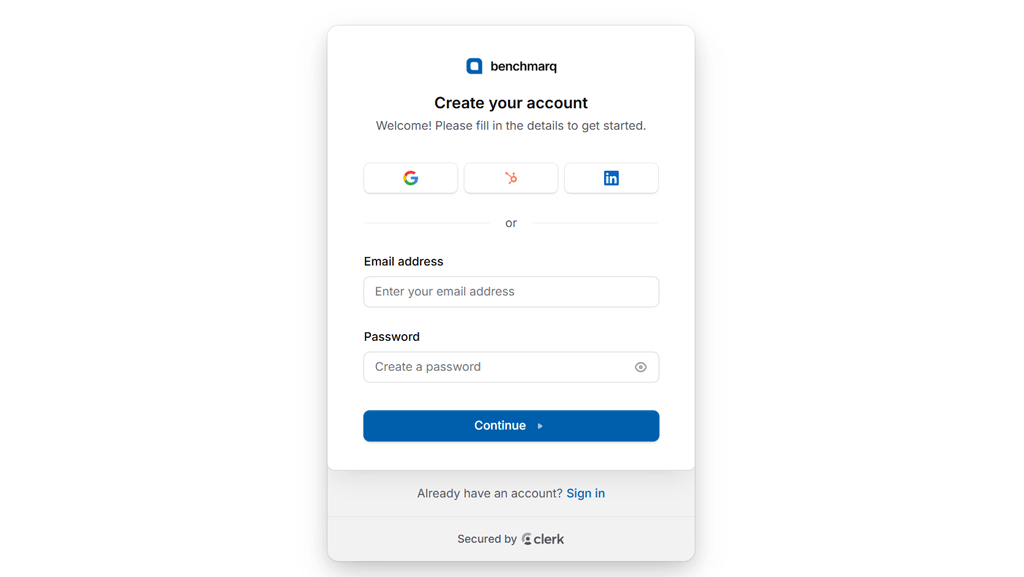
1. Open the sign-up portal

Navigate to app.benchmarq.io or select 'Sign up' from benchmarq.io to launch the onboarding interface.

Benchmarq sign-up screen with Google, HubSpot, LinkedIn and email options

The authentication modal presents options for Single Sign-On and standard credential registration.

2. Select authentication provider

Authenticate via Google Workspace, LinkedIn, or HubSpot OAuth to bypass manual password setup.

Alternatively, enter your work email and password. Free tier accounts provision instantly with no payment details required.

3. Verify workspace and start auditing

Confirm your email address if registering with credentials to activate full workspace access.

You land directly in the Benchmarq dashboard where you can launch an instant audit, link repositories, or configure notification hooks.