Track competitors.How to track competitors in Benchmarq.

Add up to four rival domains in the Competitors module to run head-to-head track comparisons, identify missing structured data schemas, and monitor relative visibility trajectories over time.
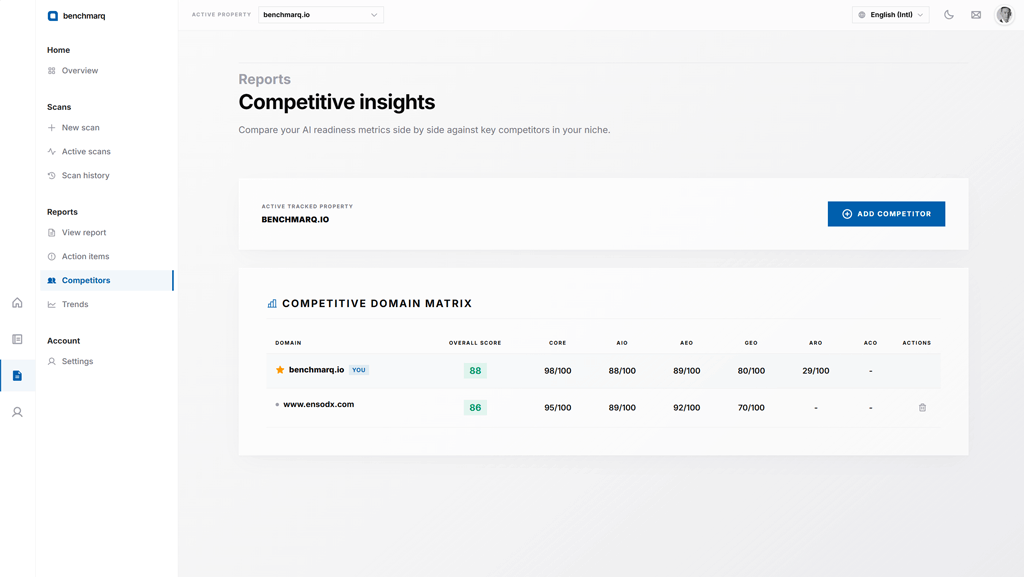
1. Open the Competitors workspace

Competitor benchmarking is available on the Premium plan. Navigate to the Competitors tab from the navigation sidebar or reports dropdown.

Benchmarq competitors screen showing up to four tracked competitor domains

2. Add rival domains for comparison

Enter up to four competitor URLs or apex domains to establish your benchmark cluster.

Benchmarq runs automated parallel audits against each target, normalizing scores across identical deterministic criteria.

3. Analyze head-to-head track matrices

Review side-by-side scorecards comparing your domain against competitors across overall AI readiness and individual GEO, AEO, AIO, and CORE tracks.

Visual delta indicators immediately highlight where competitors capture higher LLM citation authority or cleaner agentic structures.
4. Isolate competitive gaps and actionable diffs

Click into any underperforming track to open the competitive gap inspector. The view surfaces specific checks where rivals outscore your domain (such as missing SpeakableSpecification or incomplete FAQPage schema) ranked by ranking impact.

5. Track score evolution and trendlines

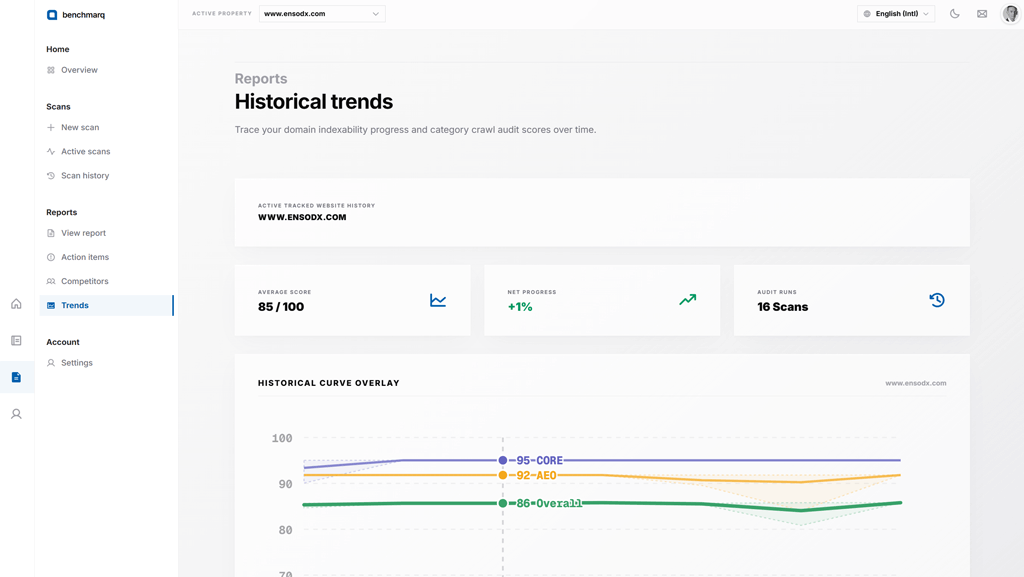
Open the Trends tab to visualize historical score trajectories across all tracked entities.

Benchmarq trends screen showing score history over time

Verify whether recent deployments closed competitive gaps or if rival updates changed the market landscape.