Start a scan.How to start a scan in Benchmarq.
Submit any domain or page URL in the scan form, choose between single-page or recursive domain crawling, enable optional agentic add-ons, and stream live test execution across 200+ checks.
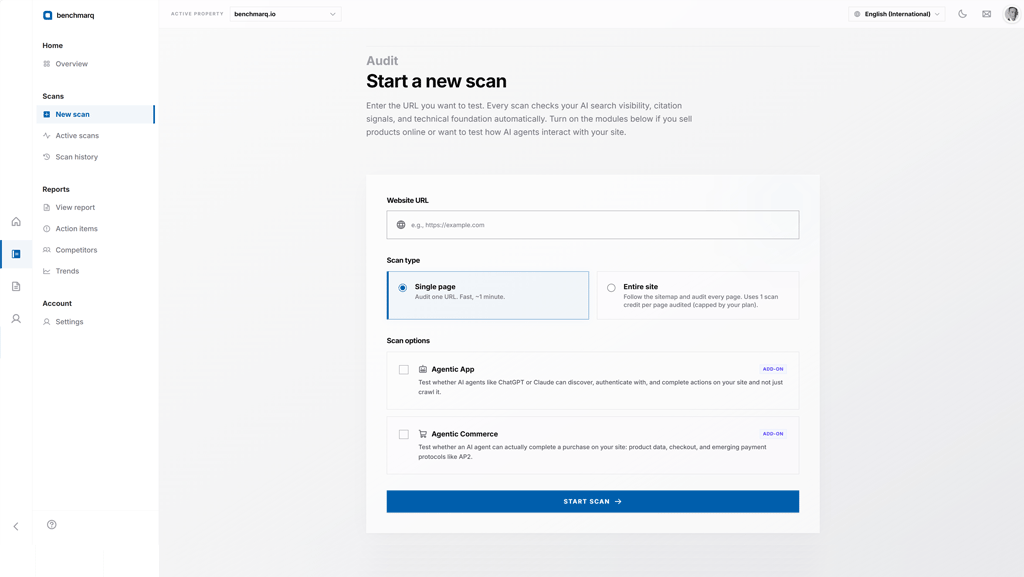
3. Configure audit tracks and agentic suites
Every scan automatically executes the core four tracks: GEO (Generative Engine Optimization), AEO (Answer Engine Optimization), AIO (AI Index Optimization), and CORE (Technical & Semantic Infrastructure).
Toggle Agentic App to test interactive authentication and workflow execution by AI agents. Toggle Agentic Commerce to test product schema completeness, machine-readable checkout flows, and AP2 payment protocols. Both suites report independent readiness scores.
4. Launch audit and stream pipeline telemetry
Submit the scan to queue execution across the distributed worker pipeline.
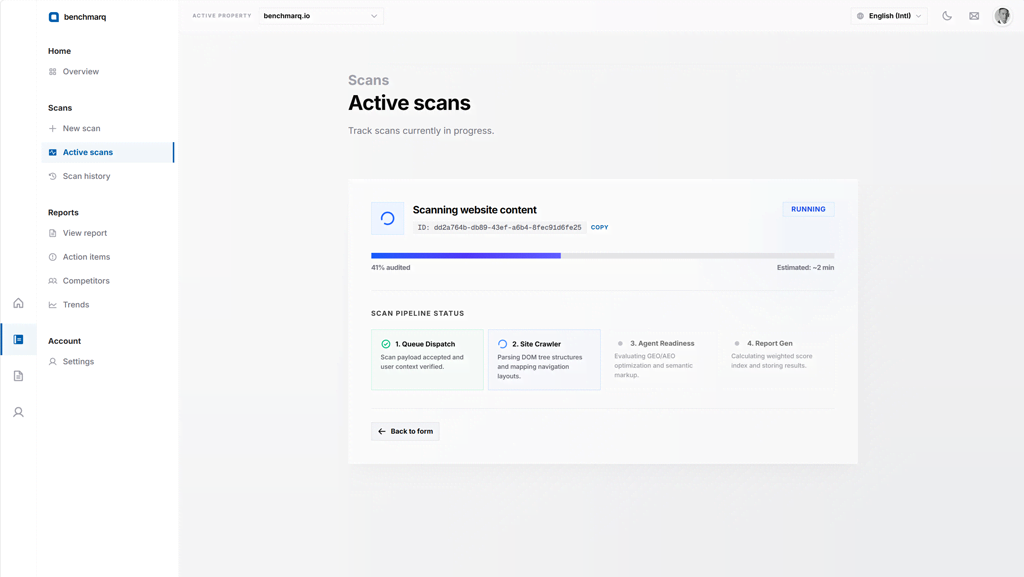
The live telemetry interface streams progress in real time across page fetching, schema parsing, agentic simulation, and test validation across 200+ deterministic checks. Standard scans complete in under two minutes.